

Enterprise support bridge
Log a Ticket: Rapid Resolution for Uninterrupted Enterprise Operations
In high-velocity logistics, every minute of downtime directly impacts your bottom line. Relying on fragmented emails or disconnected chat tools for technical support can lead to delayed responses and operational blind spots. LogiNext's Log a Ticket feature is the strategic bridge between your operations and LogiNext's expert support team, ensuring that every technical hurdle is documented, tracked, and resolved with total transparency.
A regional distribution leader managing complex Third-Party Logistics (3PL) Integration handshakes faced a critical API sync error during peak hours. By utilizing the LogiNext Log a Ticket feature, they were able to attach request payloads and response messages directly from the interface. Our support team validated the issue in real-time, moving the ticket from "New" to "In Progress" within minutes. This structured communication reduced their typical resolution time by 35%, ensuring their global delivery network stayed perfectly synchronized without a single missed SLA.
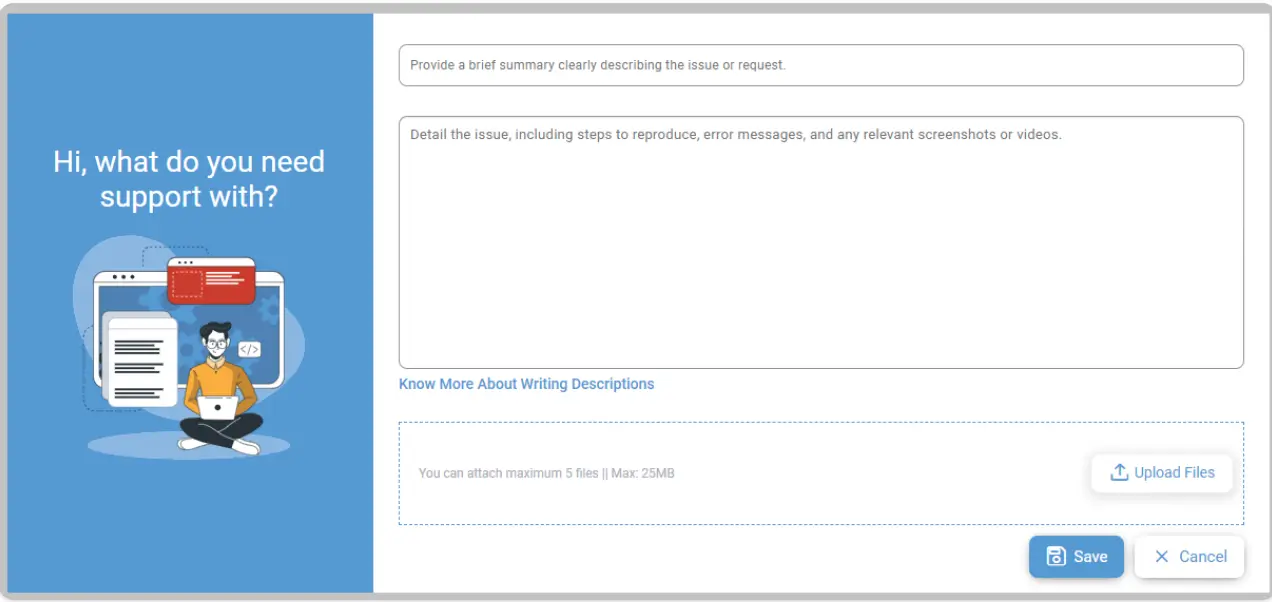
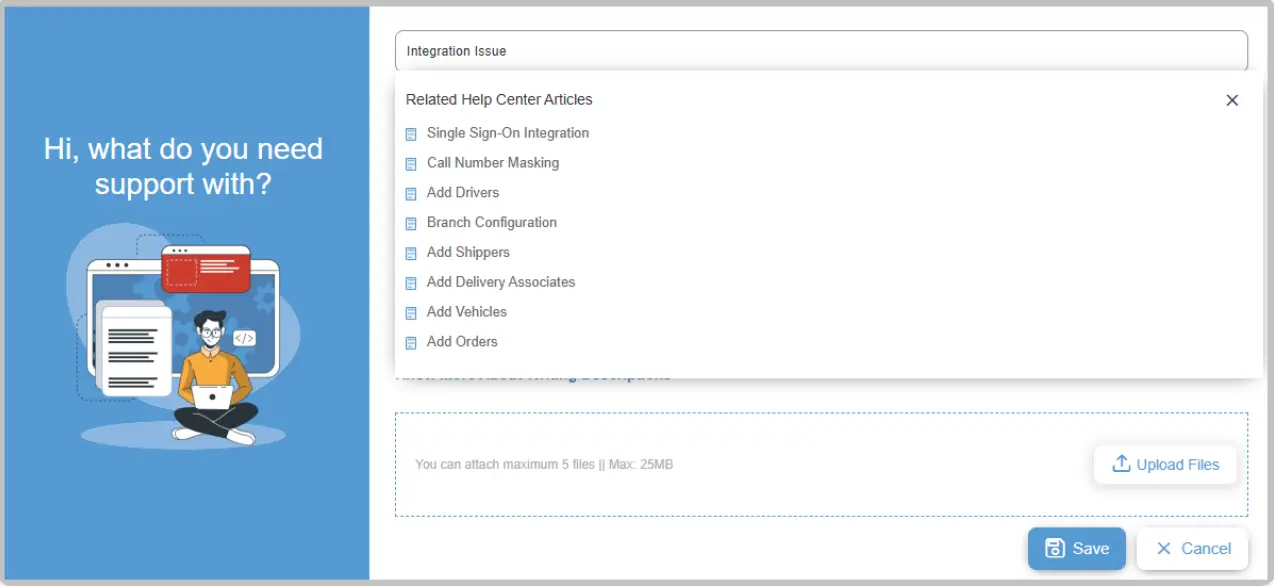
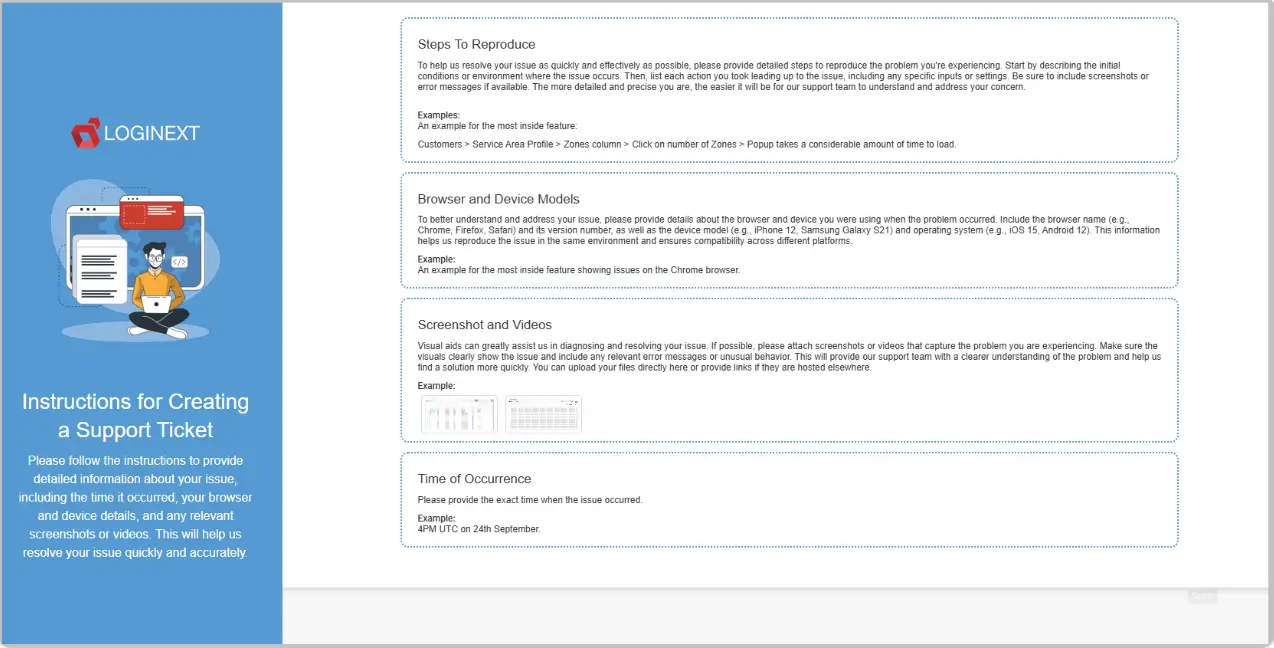
Structured ticket form
What Operational Risks Escalate Without a Structured Support Ticketing Process?
Fragmented Communication
Impact
Critical issue details are lost in long email chains.
Lack of Status Visibility
Impact
Decision-makers are unaware of the progress or ETA for technical fixes.
Delayed Troubleshooting
Impact
Missing contextual data (like browser models or timestamps) stalls diagnostics.
Unmonitored Partner Issues
Impact
Recurring errors in Third-Party Logistics (3PL) Integration are not systematically tracked for long-term improvement.
The AI-Native Flow for Support Resolution
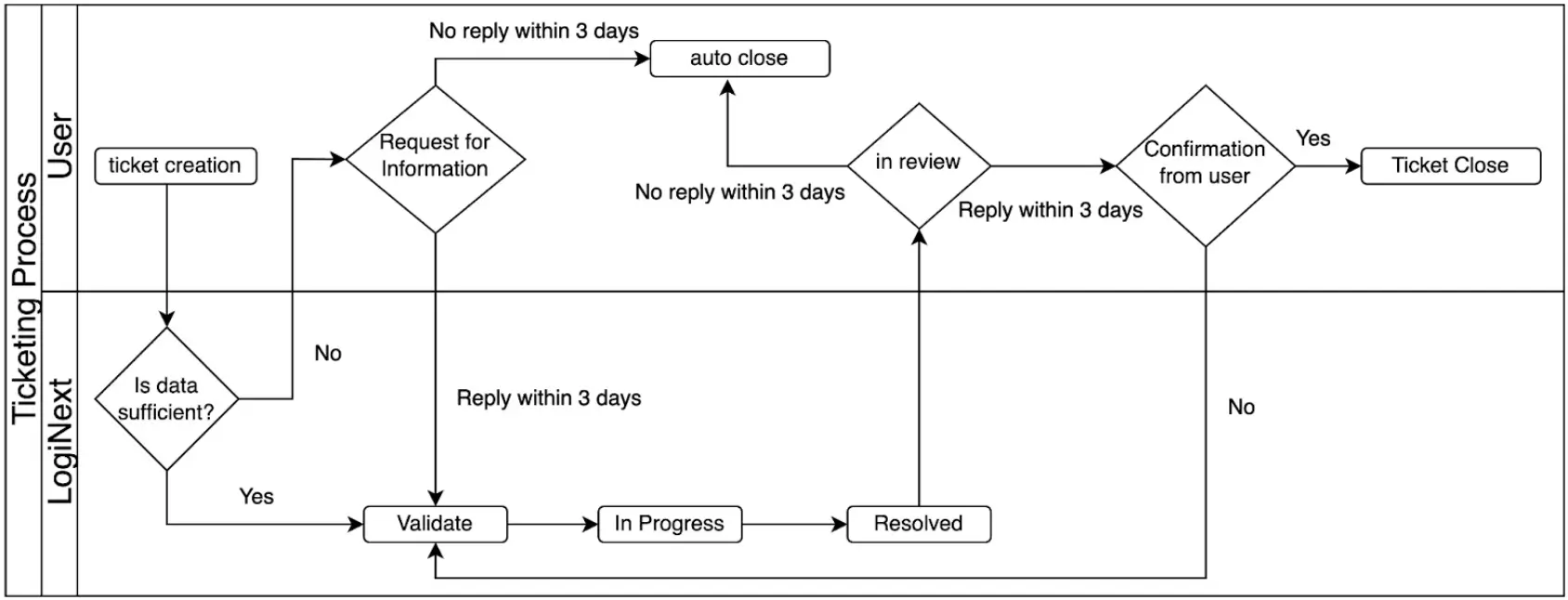
Requirement Ingestion
When you initiate a Log a Ticket request, the system instantly suggests relevant Help Center articles to facilitate immediate self-service.
Contextual Enrichment
Users provide detailed descriptions, including steps to reproduce, account usernames, and exact timestamps.
AI Decision Layer
LogiNext’s support hierarchy validates data sufficiency, moving tickets through structured statuses like "Validated" and "In Progress".
Operational Orchestration
Real-time badges on the Help icon notify dispatchers the moment a ticket requires their input or is ready for review.
Continuous Improvement Loop
Post-resolution feedback allows enterprises to rate their experience, ensuring long-term service excellence.
Frequently Asked Questions
When should I log a support ticket?
You should log a support ticket whenever you encounter a technical issue, platform error, unexpected system behavior, or need assistance with a LogiNext feature. Providing a clear description of the issue, along with relevant screenshots or error details, helps the support team investigate and resolve your request more efficiently.
What information should I include when I log a ticket?
To help speed up resolution, include details such as the issue description, affected module or feature, date and time the issue occurred, error messages (if any), and supporting screenshots or attachments. Providing complete information enables the support team to diagnose and address the issue more effectively.
Can I track the status of my support ticket after submission?
Yes. Once your support ticket has been submitted, you can monitor its progress through the support portal or via email notifications, depending on your organization's support setup. As the ticket is updated, you'll receive status changes and can provide additional information if requested by the support team.
What information should I include when I log a ticket?
To speed up resolution, include a clear summary, detailed steps to reproduce the issue, your username, and relevant screenshots or videos.
How does this support Third-Party Logistics (3PL) Integration?
You can use the feature to report and track any API or data-sync issues occurring with your external carriers, ensuring your entire ecosystem stays integrated.
How will I know when my ticket is updated?
You will see a numbered badge on the Help icon in the top bar of the Dispatcher Web App if a ticket requires your review or information.
Can I close a ticket myself?
Yes. Once you have reviewed the resolution and are satisfied, you can click the "Mark Ticket As Closed" button on the Update Ticket page.